Website builder
Website builder for food trucks
What you serve, where you'll be, and how to book you for an event — without paying for a site you update twice a year.
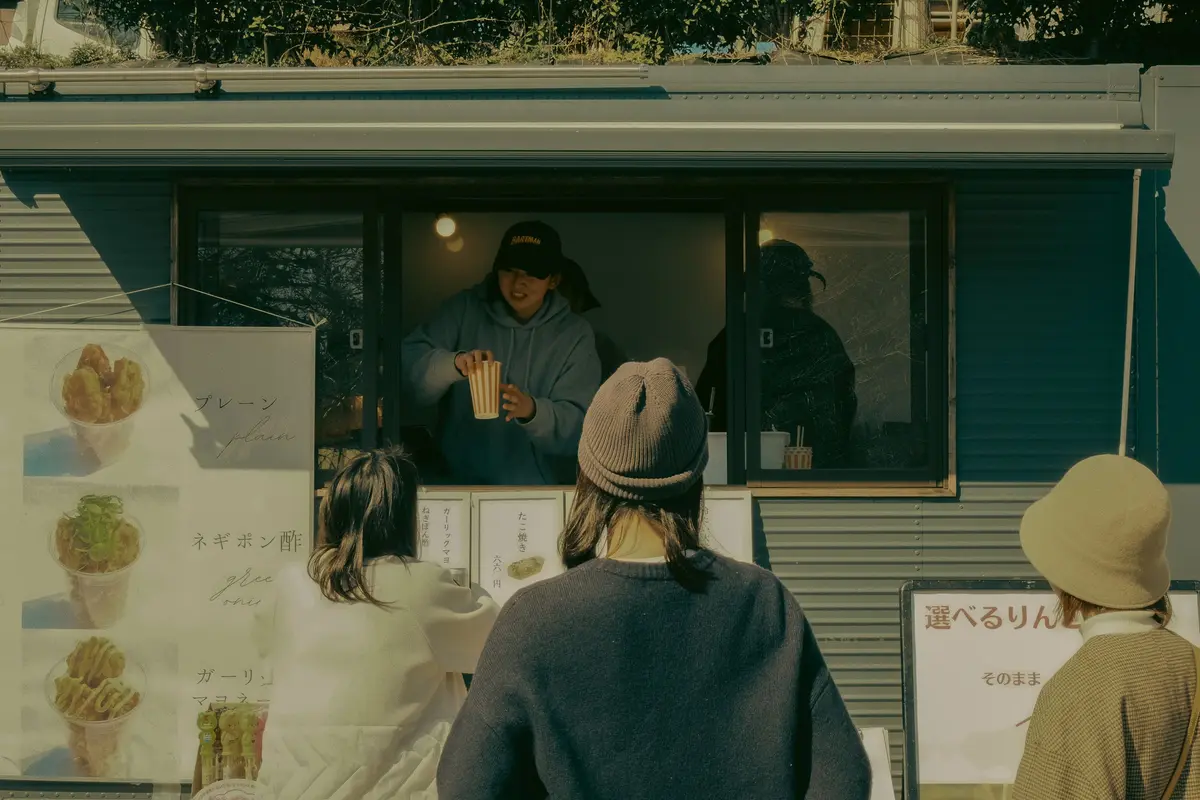
A truck's website has an unusual job: the menu barely changes and the location changes constantly. Most templates get this exactly backwards.
Describe the truck and you get the menu as a proper priced list, a place to say where you are this week that takes ten seconds to edit, and a catering enquiry that arrives as an email and a record.
What they came for
What people want from a food truck website
Four questions a visitor arrives with. Everything below is what the generated page does about them.
Where are you this week?
The one thing that changes constantly, given a place on the page that takes ten seconds to retype and a publish that takes seconds more.
What do you serve, and what does it cost?
A real priced list rather than a photograph of a chalkboard — which is what somebody on a lunch break can actually read on a phone in the sun.
Can I hire you for a party?
Catering is the bigger money and the harder question. The enquiry asks the date, the headcount and the location, and arrives as an email and as a record.
Are you the truck I ate at?
Photographs of the truck and the food, so the person who found you at a market last month can tell in one second they're in the right place.
Common problems
What tends to go wrong on food truck websites
Three patterns that come up often. None of them is a design problem, and each is a sentence or two of work to fix.
The location lives on social media only
A post reaches people who already follow you. A page that says where the truck is this week is also what a search can return.
Catering is one line at the bottom
Catering is usually the larger booking and the one with more questions attached. Its own section, with a form asking the date, the headcount and the location, collects enough to reply.
The site was built once, in 2019
The menu stays right while everything around it goes stale. Editing the page as text and publishing keeps the changeable parts current without involving anyone else.
What gets built
What a food truck website needs
The sections Sitemo plans for food trucks, in the order it puts them on the page.
The opening screen
The first screen: a photograph of the real place, the name, and the one thing you want a visitor to do next.
Menu
Dishes grouped into courses, each with its price, a line of description and a photo — not a PDF someone has to pinch to read.
Services
What you sell, with prices. A list when there are many, cards with photographs when there are a few.
How the work goes
How the work actually goes, step by step — the part that turns a quote into a booking.
The numbers
The two or three numbers worth stating plainly: years open, jobs done, hours in the smoker.
The facts people decide on
The handful of facts a visitor decides on — walk-ins welcome, open Sundays, free parking, fully insured.
Gallery
The work, the room, the finished job. Laid out as a set, so one good photograph isn't carrying the whole page.
Your story
The short version of why the place exists, in your voice rather than a company profile.
Testimonials
Room for the reviews you already have. Your words from your customers — nothing invented to fill the space.
FAQ
The questions you answer on the phone all day, answered once on the page.
Hours & location
Address, opening hours day by day, phone number and a map. For most local businesses this is the most-visited part of the site.
Contact form
An enquiry that reaches you as an email and is kept as a record you can open later.
The ask
The line that asks for the call, the booking or the visit.
Not a fixed list. Sitemo decides which of these your site actually needs from what you describe — a food truck with four things to sell gets a different page from one with forty.
Underneath the page
And the parts that aren't pages
Most food trucks need somewhere to keep this. It comes with the site rather than being a plugin you go and find.
Each one is a table you edit in your dashboard — change a price, add a service, take something off the list — and the published site follows. Enquiries arrive as an email and are kept as records you can search later, so nothing is lost because an inbox was busy.
The words
The same line, written twice
A general version of a line and a specific one, both about the same length. The difference is how much a visitor can do with it.
General
“Street food with a twist, serving the local area.”
Specific
“Korean-Mexican tacos. Tuesdays at the business park, weekends at the market on Bridge Street.”
A cuisine and two locations give somebody enough to picture the food and find the truck.
General
“Available for events.”
Specific
“Catering from 40 people. We bring the truck, the power and two staff; you tell us the pitch.”
A minimum and a list of what's included make the offer easier to say yes to.
The prices and areas above are made-up examples; what is being shown is the shape of the sentence. Yours go in the box below, and the site is written from them.
Try it
Describe your food truck
This is the same box that's on the home page, filled in with the example above. Change it to yours.
Free to try · No credit card · Your site stays exportable
Questions
Websites for food trucks
- How do I update where the truck is?
- Retype it on the page in the visual editor and publish — it is a text edit, not a code change, and it takes about as long as posting it to social media.
- Can I take catering enquiries?
- Yes. The enquiry form can ask for the date, the headcount and the location, and each one arrives as an email and is stored as a record you can search later.
- Is there anything to maintain?
- No server, no plugins and no updates. Publishing compiles the site to static files served from a CDN, so there is nothing running that can fall over between events.
- Can I take the location down when I'm not trading?
- Yes. It is text on the page, and there is an announcement bar for the thing you need to be impossible to miss. Both are edited in the editor and go live on the next publish.
- Can I list the events I'm booked for?
- Yes. Events can live in a table you edit, so adding next month's markets is adding rows — the page follows without being rebuilt by hand.
- How long does it take to get one up?
- Minutes for the first version: you describe the truck and the site is generated with the menu, the location and the enquiry form already on it. What takes longer is your own photographs, and those can be swapped in whenever you have them.
Where this isn't the right tool
This will not take payment for a pre-order or run a queue-ahead system. If that is the business, you want an ordering platform. Sitemo is for the truck whose website has to answer "what and where" and catch the catering enquiry.